Once Sport Update: Auto Field Mapping, New Visual Tools, and Performance Improvements
February 27, 2026
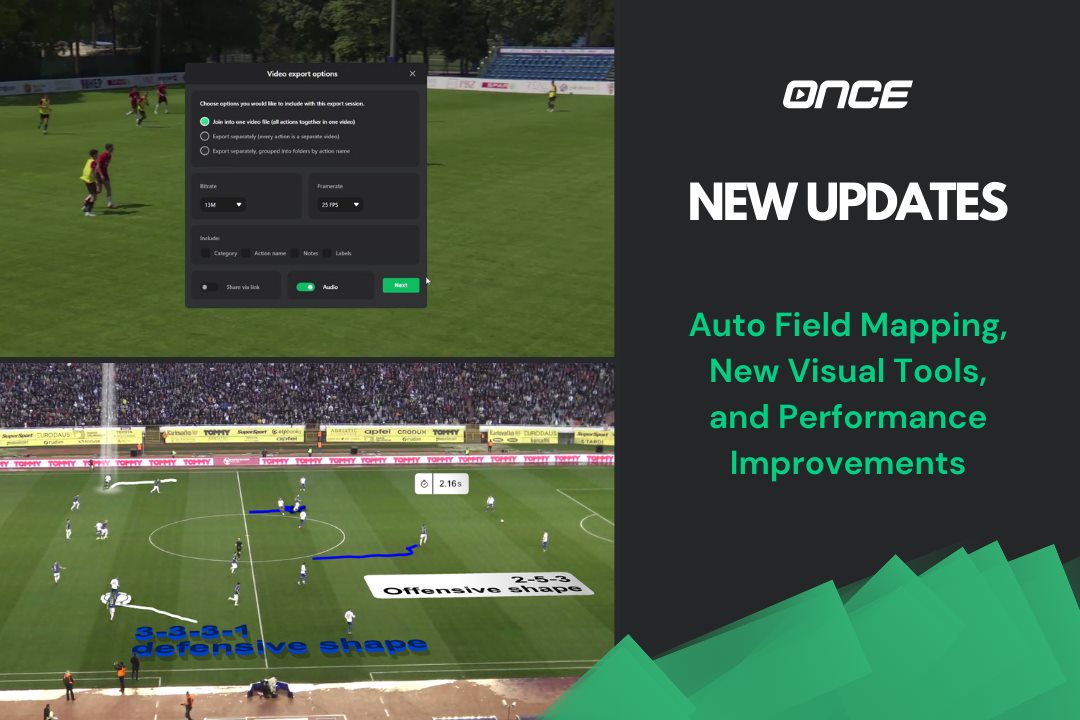
Welcome to the new Once Sport update !
We’re bringing a mixture of new automatic features, fresh visual tools, and important performance upgrades, all designed to make your analysis faster, clearer, and more enjoyable.
From automatic field mapping and upgraded telestration to improved Once Sport Coach Board flexibility, let’s take a look at what’s new.
Automatic Field Mapping
Field Mapping takes its first step toward full automation. With a single click, the software automatically maps the pitch, eliminating the need for manual point placement.
At the moment, Auto Field Mapping is available for football only, and this is just the first version. We’ll continue improving its accuracy and reliability over the next builds.
However, this version already significantly speeds up your workflow and gives a clear preview of where Field Mapping is heading next.
3D Text that blends with the surface
We’ve introduced a brand-new way to display text directly on the playing surface.
With the new 3D Text options , text now sits naturally on the field, as if it’s part of the grass or parquet. This creates a more immersive and professional look during analysis and presentations.
You can choose between two different 3D text designs , depending on your visual style. Finally, to use this feature, Field Mapping needs to be active, and you can use it for all sports that support it.
Highlight a player with a brand-new Spotlight
Spotlights just got a major visual upgrade.
We’ve created a completely new Spotlight , bringing the total number of Spotlight drawing elements to three. The new design looks cleaner, more modern, and stands out beautifully on screen.
It’s ideal for directing attention to key moments while keeping your visuals sharp and professional.
Follow your player’s movement more precisely
We have improved tracking visuals, allowing you to analyse player movements more easily.
When tracking a player, you can now show a trail that follows their movement . This trail can be used with a Spotlight or tracking circle, or completely on its own, without any other element.
It gives you the freedom to adapt to the situation, whether you want to draw attention to a player or just simply show their movement.
Measure time in your analysis
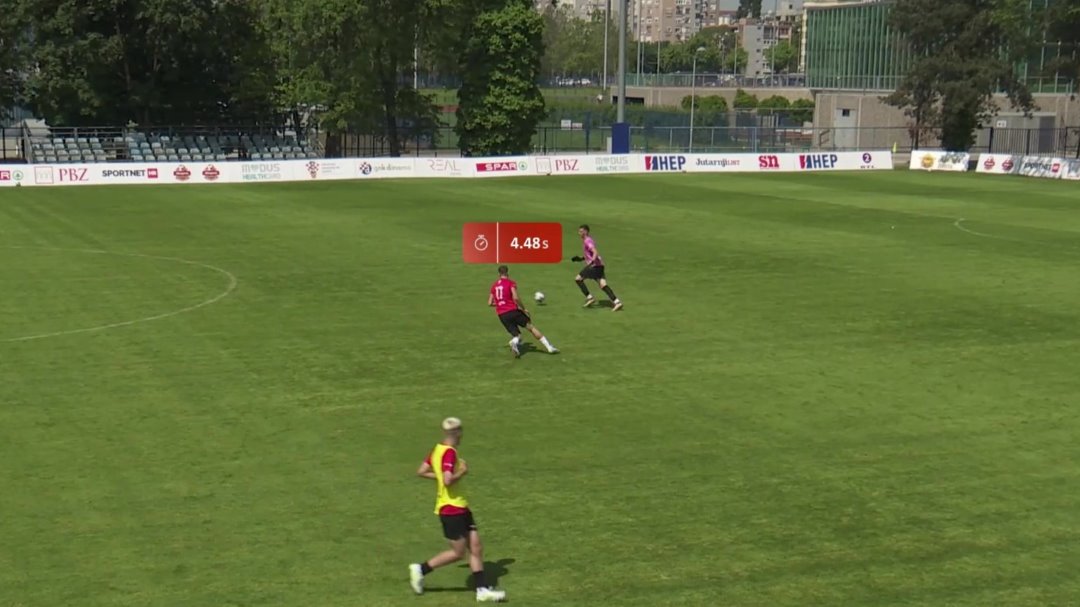
We’ve added a new Timer overlay element , available for Pro and Elite users.
The Timer lets you measure time directly on the video, perfect for highlighting durations, transitions, or specific phases of play.
The workflow will feel familiar! It follows the same flow as overlay text, from adding and positioning to adjusting settings.
A simple but powerful addition for your analysis.
Custom field importation and rotation tool
Once Sport Coach Board becomes even more flexible in this update.
You can now upload your own custom field design using a JPG or PNG file from your computer. This is ideal for custom pitches, indoor courts, or non-standard layouts.
We’ve also added a rotation tool , allowing you to rotate elements and drawings freely. Adjusting orientations and tactical setups is now faster and more precise than ever.
New Login and Export screens
The login screen inside the application has been refreshed with a more modern and polished look. It’s a small change that improves the overall feel and consistency of the Once Sport experience.
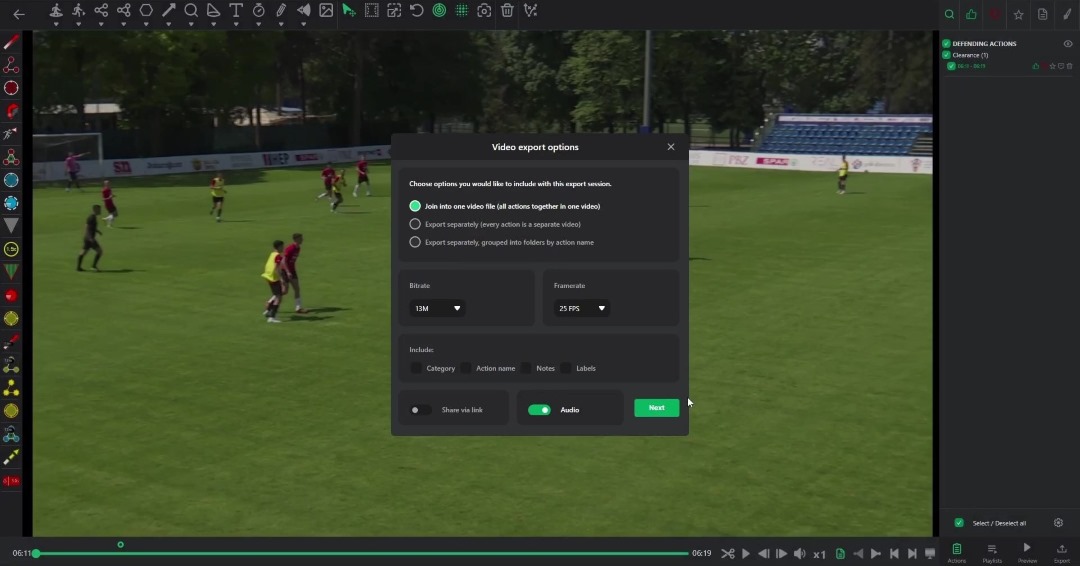
We’ve rolled out a brand-new export screen , featuring a cleaner design, improved clarity, and a smoother export flow. The new screen allows you to choose if you want the audio in the exported video.
Also, if you realise you forgot something in your analysis, you can now cancel the exportation after it has already started, and go back to your analysis.
Exporting your analysis is now more intuitive and easier to understand, helping you prepare videos and presentations faster and with confidence.
Performance Improvements Under the Hood
This update includes a number of important optimisations behind the scenes.
The software is now faster and more stable, cloud performance has been improved, and large projects should run much more smoothly without stuttering or delays.
Final Thoughts
This update brings all Once Sport products closer together while giving you more control, smoother tools, and faster workflows.
Whether you’re analysing a match, preparing training, or recording your team, the entire system now works more naturally and efficiently with you.
Get the Latest Update
Thank you for reading and for being part of the Once Sport community. Try the new features and send us your feedback – we’re already working on the next round of improvements. See you in the next update!
- Existing users – Open Once Sport Analyser and follow the on‑screen message to download and install the new version (4.5.3) . You can also grab the newest installer from your Dashboard.
- New users– Register for a 14‑day free trial – no credit card required. Use the button below to get started.
That’s it for this release, another step toward making Once Sportthe most intuitive and powerful analysis tool in the world of sports.
Thanks for being part of the journey. Your feedback drives these updates, and we can’t wait to show you what’s coming next.
See you for the next update!
