Biggest Once Sport Autocam Update Yet: Reolink Integration, Dual camera processing, New Interface
November 20, 2025
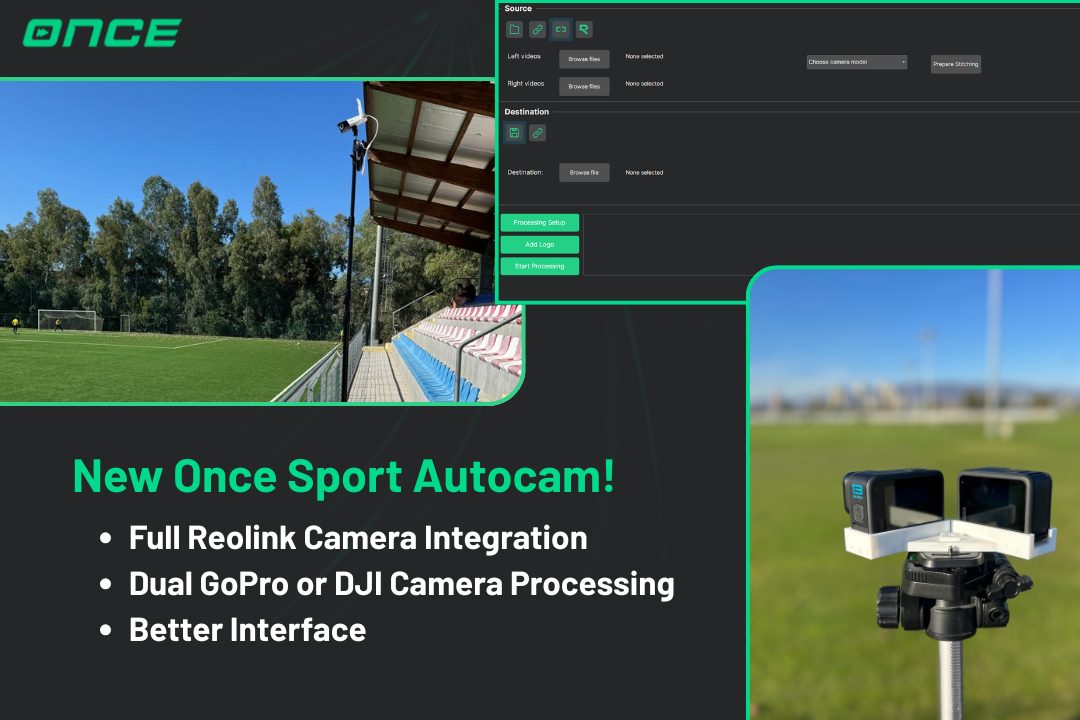
With this update, Once Sport Autocambecomes more powerful, more connected, and more user-friendly than ever. Fewer steps, faster setup, smarter analysis.
What’s new?
- Dual camera processing with Go Pro or DJI cameras
- Full Reolink integration in the software
- New Graphical User Interface
Dual Camera Recording
If you’re using multiple Go Pro or DJI cameras, the new Dual camera input is a game-changer.
Now, you can easily use 2 action cameras to get TV-like footage with Once Sport Autocam, as the software allows you to instantly merge left and right camera footage into a single wide-angle video.
Select your files, choose your camera model, and hit Prepare Stitching . In seconds, your footage is ready for processing. No manual syncing, no extra tools.
Continue processing, and before you know it, you’ll have smooth, professional-quality footage worthy of a World Cup final .
Access your Reolink camera – all in one place
The other major part of this release – full Reolink camera integration . You can now control everything directly from Once Sport Autocam.
Open the Camera Interface , and all Reolink cameras on your network appear automatically. Log in, and you can record, preview, or download instantly.
Start recording directly to the SD card, and the camera will keep recording until you stop it. Even if you unplug it, it resumes automatically when reconnected. For example, turn it on at home, unplug it, take it to the pitch, and plug it back in. Recording continues without missing a moment.
Need to check your framing? Live Preview provides you with a real-time video with a single click. Searching for a specific clip? Just pick a time frame and click Search. All recordings from that period will appear. Download individual files or select all to merge into a single video.
And if you prefer, you can import footage directly into Once Sport Autocam , no downloading needed. For live analysis, select Use Live Stream as Input.Once Sport Autocam is connected automatically, it will process your video in real time.
This isn’t just an integration. It’s a full workflow upgrade. From camera control to analysis, everything now happens in one place.
A New, Smarter Main Window
The new main window is now divided into three clear sections, making your journey from recording to processing smoother than ever.
In the Sourcetab , you can choose where your footage comes from. You still have the familiar options: uploading a video from your computer or streaming it directly. Each with its own dedicated tab. But now, we’ve added two exciting new ways to import your footage: Stitching and Reolink .
You can upload footage from two Go Pros and stitch them together instantly, or connect directly to your Reolink camera and process the video, all within Once Sport Autocam. No need for extra software.
Fresh Processing Setup
The new Processing Setup brings a cleaner, more organized layout designed for speed and clarity.
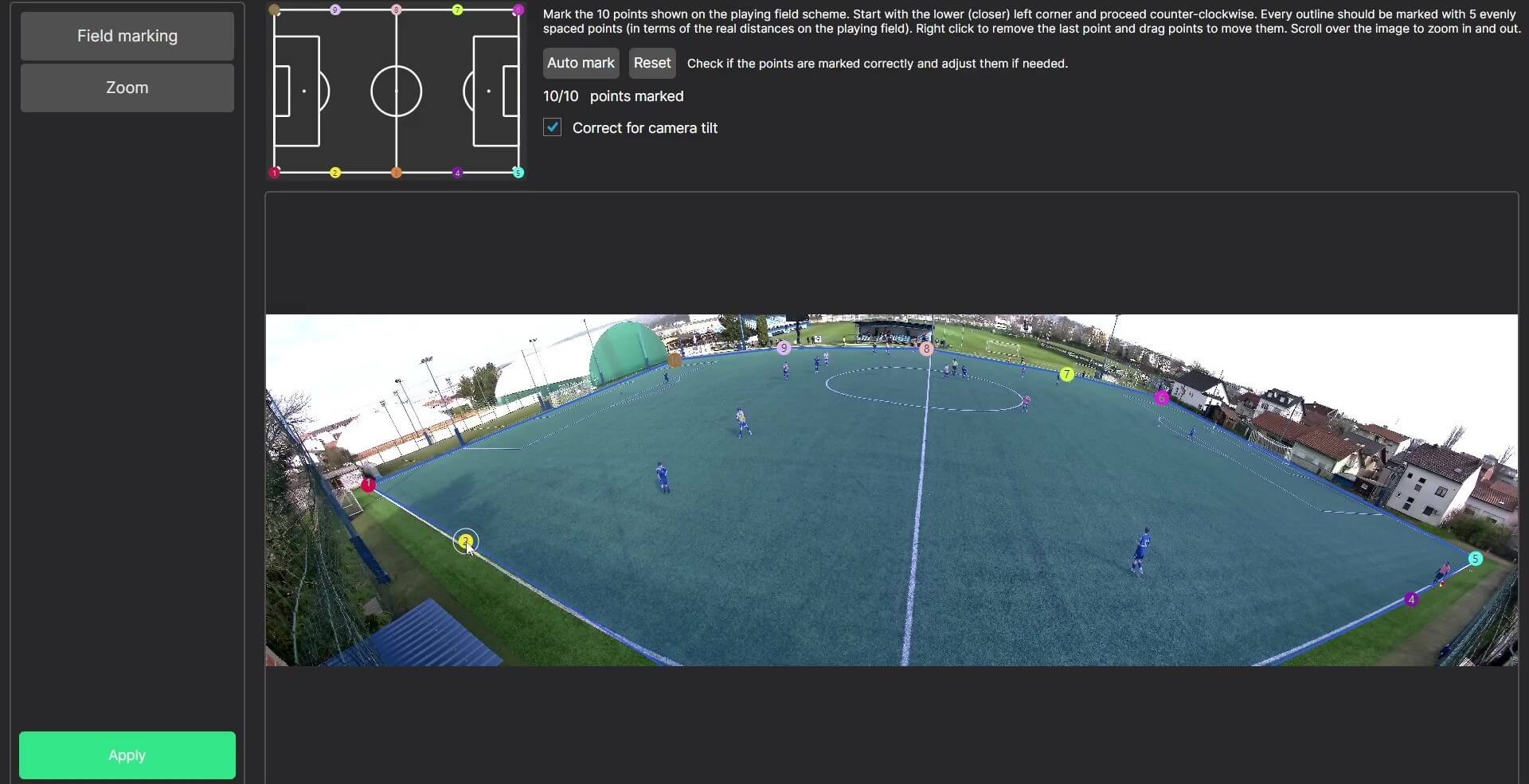
With Field marking , you can define the field in seconds — just click ten points, or let Auto-mark do it for you. The first time you open the setup, the software marks the field automatically. And you can adjust the lines for perfect calibration. Need a fresh start? Hit Reset anytime.
And with Correct for camera tilt , your footage always stays perfectly aligned. You should always keep it on if the game is filmed from the side in line with the center of the field. However, if the game is recorded behind the goal, turn it off.
You’ll also notice improved Zoom settings , letting you adjust minimum and maximum zoom levels smoothly and precisely. And we’re not done yet. Output video settings and more setup options are already in development.
Simpler Output and Streaming
In the new Destinationtab , you choose where your processed video goes. Save it locally for easy access, or stream it live to share instantly.
And with our standardized streaming setup, it’s never been simpler. Just enter your stream’s URL and key in separate fields, and you’re ready to go. No manual combining, no complicated setup, easy live streaming.
Closing Thoughts
Thank you for being part of the Once Sport community and for your continued feedback. It drives every improvement we make. Our current Once Sport Autocam users will be able to install the new version (3.0.0) the next time they open the software. If you don’t receive an update notification, contact our colleagues at info@once. sport and they will send you a link to install the new version.
We can’t wait for you to explore these new features and see how much simpler and faster your recording and analysis can be.
If you want to try Once Sport Autocam , but don’t know what would be the best solution for you, click on the button below. That way, you’ll get a customized quote – just for you.
See you in the next update!
